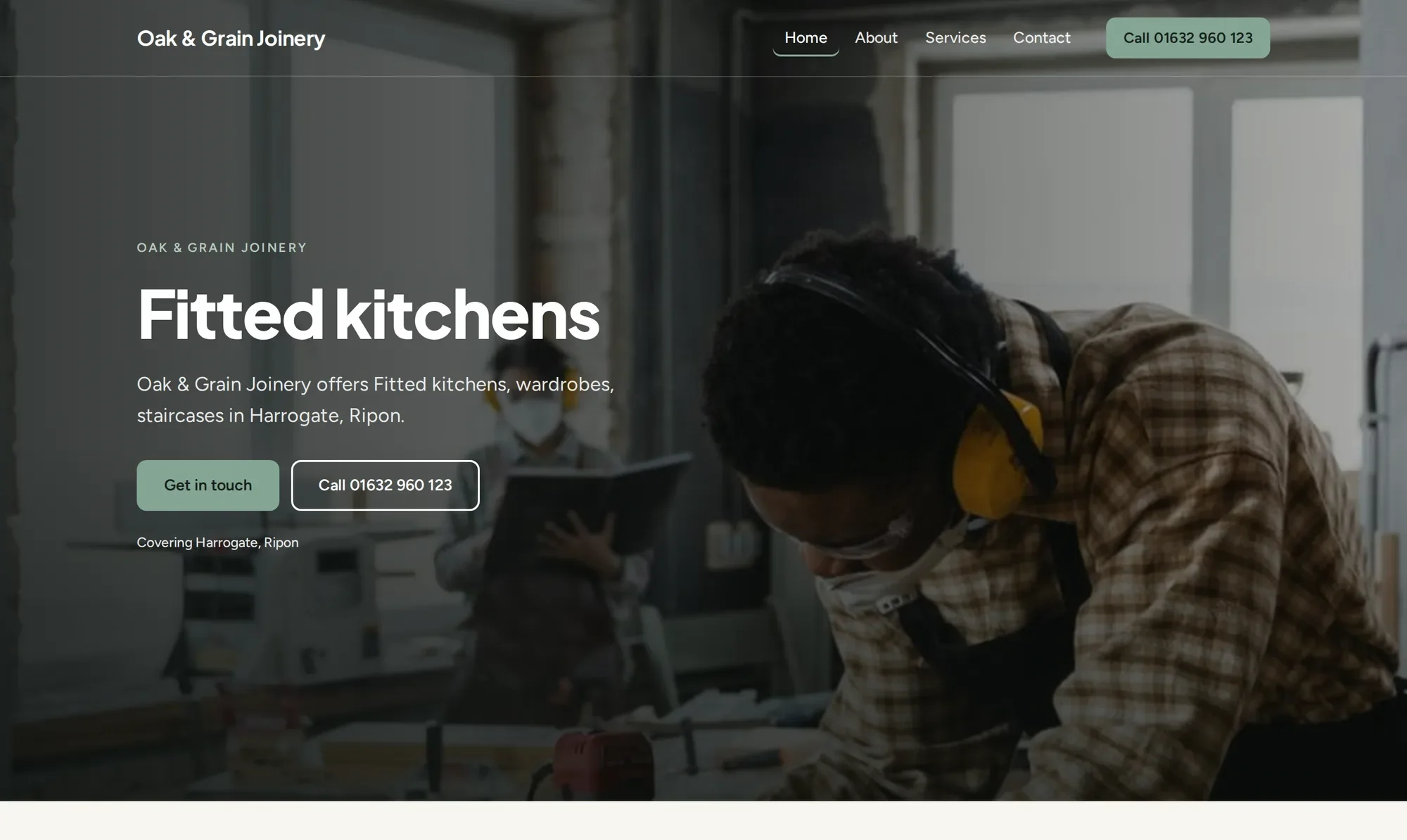
Example business: joinery
Oak & Grain Joinery
Bold & confident, in the Forest palette. A full-width photo with the header over it, strong headlines and prominent calls to action.
For small businesses
Answer plain questions from Otis, watch your website take shape as you go, then send it to a real person to check before it goes live.
A proper website. Without the faff.
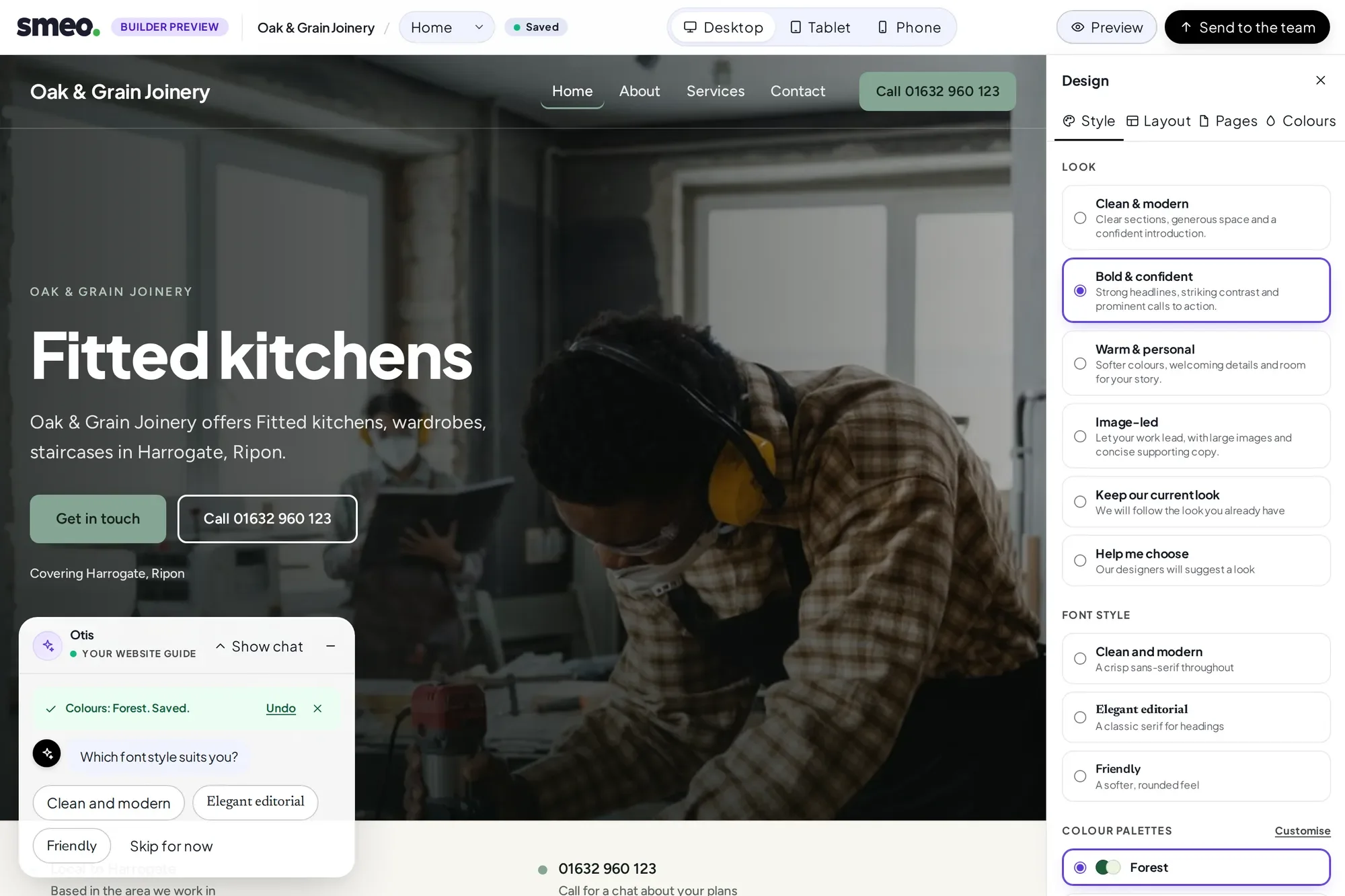
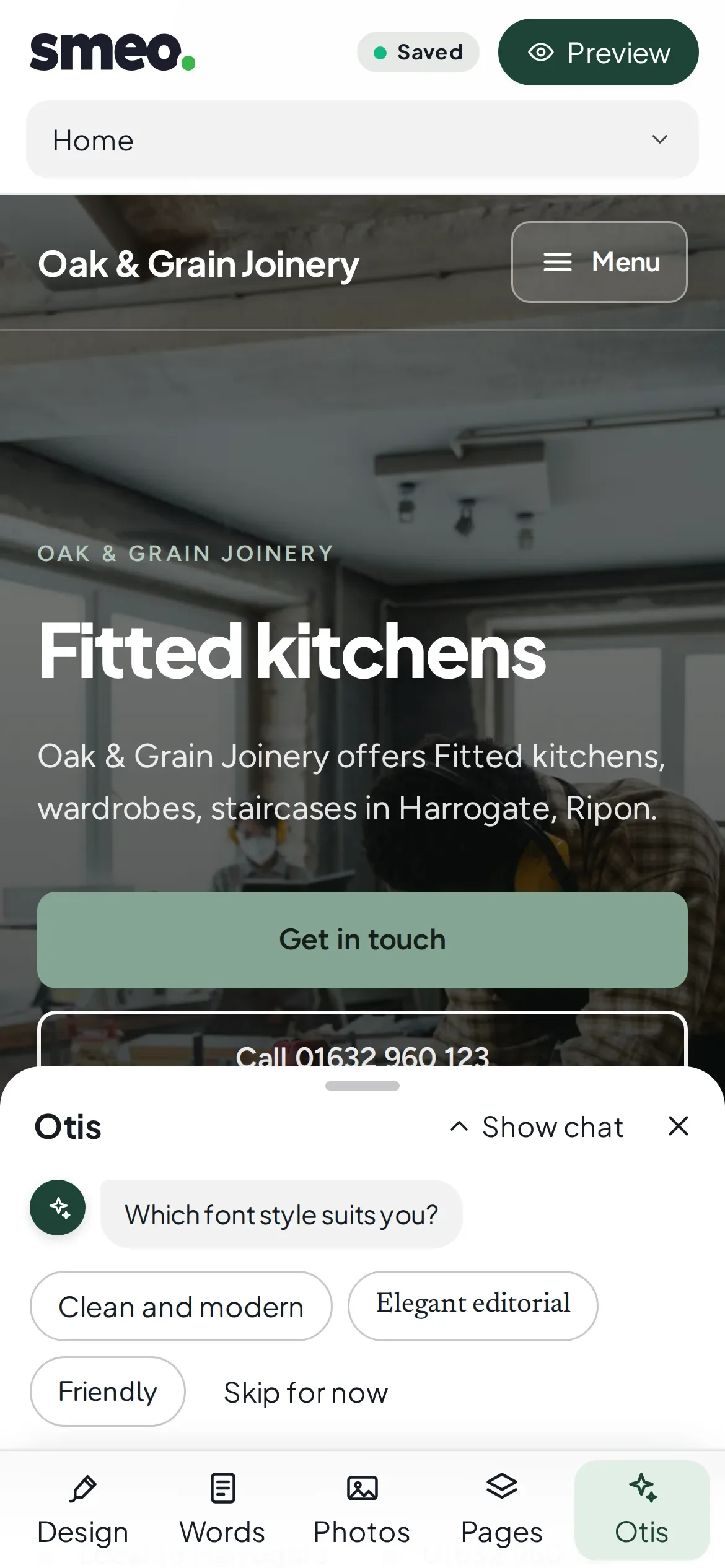
These businesses are invented. The websites are real: the builder made each one from a handful of answers.
Example business: joinery
Bold & confident, in the Forest palette. A full-width photo with the header over it, strong headlines and prominent calls to action.
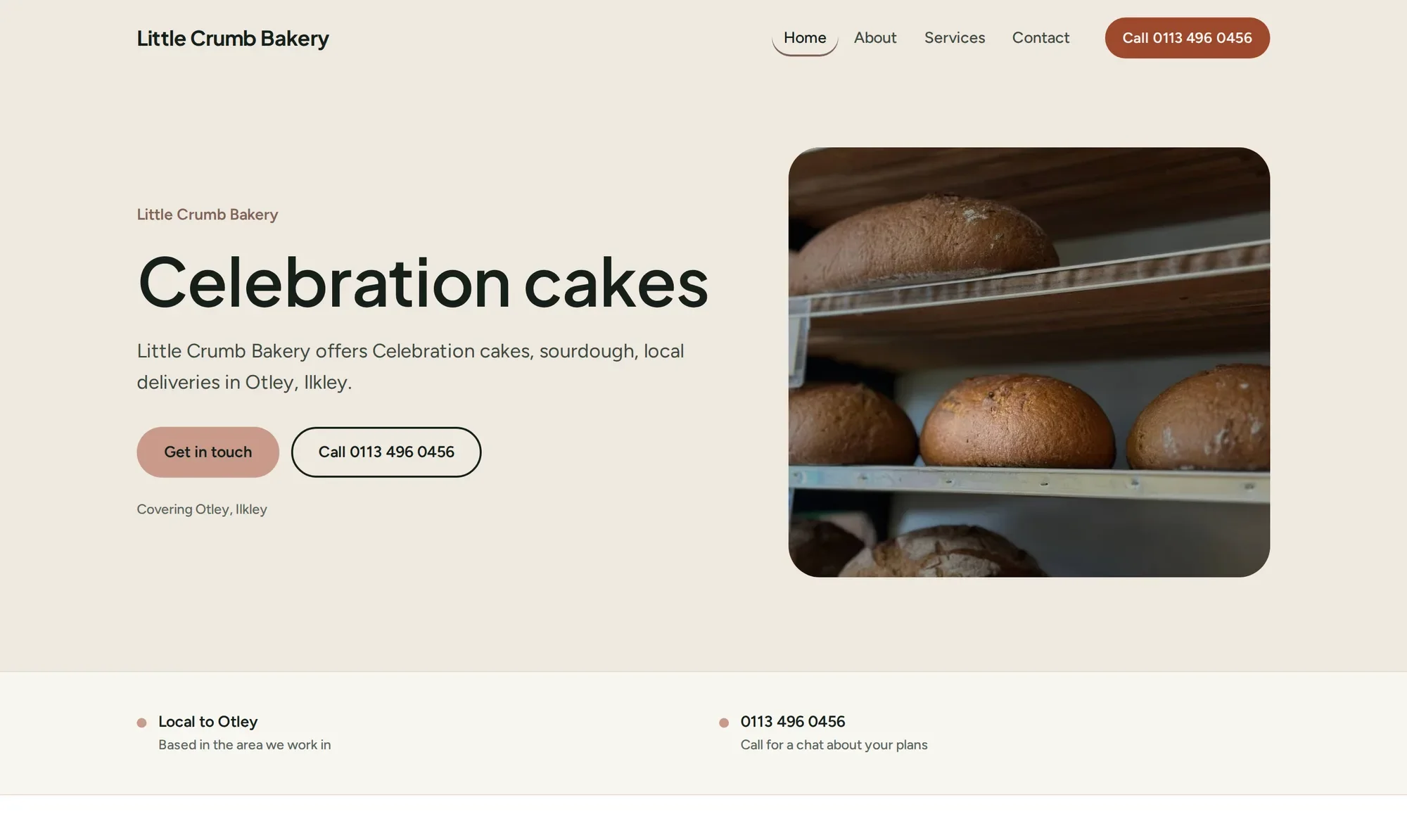
Example business: bakery
Warm & personal, in the Terracotta palette. Softer colours, welcoming details and room for the story behind the sourdough.
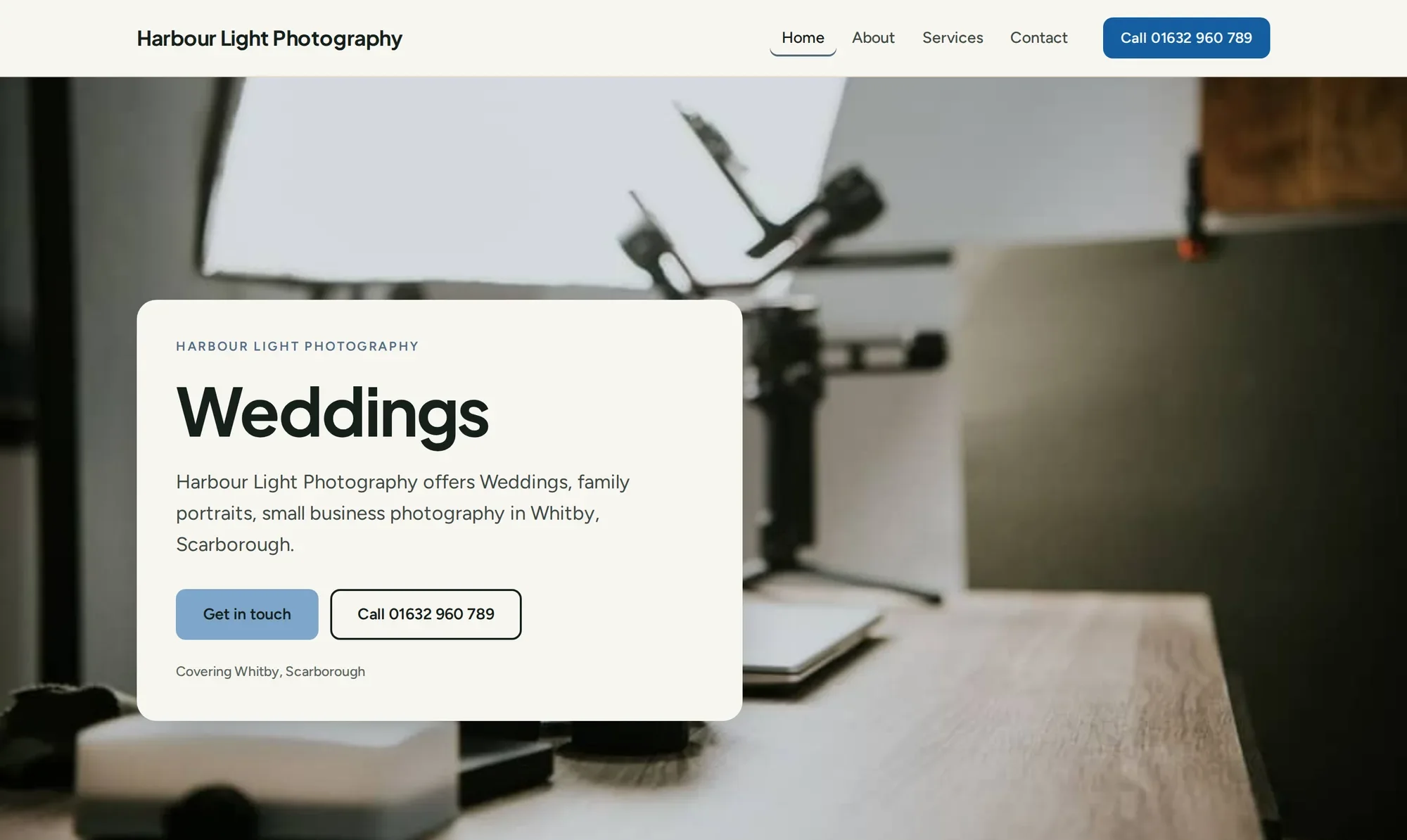
Example business: photography
Image-led, in the Ocean palette. Large pictures do the talking and the words keep out of the way. Good for work that is better seen than described.
No account to start, and nothing goes live until a person has checked it.
01
Otis asks one thing at a time: your business name, what you do, where you work, your phone number, then the look you like. Changed your mind? Undo takes you back to that question.
02
Your real website appears as you answer. Tap any words on the page to change them, try different looks and colours, and check it on desktop, tablet or phone.
03
When it looks right, press Send to the team. Our team sets your website up on WordPress with Elementor from your design, then a person checks it before it goes live. It is a hands-on step, not an instant one, and nothing publishes on its own.
Every card carries a label: available now, demo or planned. We would rather you knew.
Available now
Your finished website is a native WordPress website made from Elementor's own elements. Our team does the setup step from your design, and the pages stay editable in Elementor, by you or anyone you trust.
Available now
In the builder, tap any text on your page and type. Undo and Redo are always there.
Available now
Manage pages, blog posts and photos from one calm place. Ordinary WordPress posts stay ordinary.
Available now
Change a picture's look, size and tilt, and choose where it focuses on a phone, all within safe limits. Reset puts it back.
Available now
Edits to a live page wait on a private preview copy. You check them on a review screen, press Publish, and Studio checks the live page shows the change.
Demo
Select part of a page and ask Otis for a change to just that part. For now it runs on labelled sample responses, not real AI.
Planned
The builder uses licensed stock photos chosen to suit your business. Uploading your own there is planned. In Studio, you can already.
Planned
Simple numbers about who visits your website. Not built yet.
Planned
Ongoing SEO and GEO work through ContentStation, the agency platform behind Content Boost. Not connected to SMEO yet.
Do I need an account to start?
No. Press Start building and go. Your draft is tied to this device by a secure cookie, and a private link lets you carry on from another one.
Does anything go live without me?
No. Saving keeps a draft. A person at SMEO checks every website before it goes live, and in Studio nothing changes on your live website until you confirm it on the review screen.
Is Otis an AI?
No. In the builder, Otis is a guided set of questions, not an AI model. Otis in Studio is a demo that uses labelled sample responses.
Is it really WordPress?
Yes. Your finished website runs on WordPress with Elementor, and its pages are made of Elementor's own elements. The builder is where you shape it; our team then sets it up in WordPress for you. That is a hands-on step, not an instant one. Changes made in Elementor are respected: Studio refuses to overwrite them.
Can I buy it yet?
Not yet. Our pricing is a proposal and there is no checkout. You can start a draft today, and it costs nothing.
Type it in and the builder opens with it already filled in. No account needed to begin, and nothing goes live until a person has checked it.